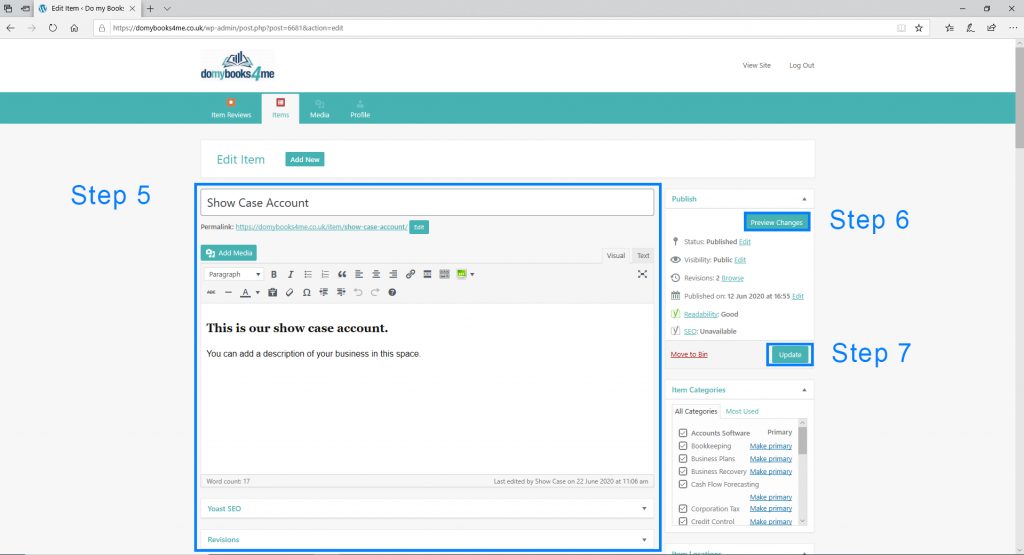
Step 1: Click on the “Login” button and proceed to fill in your “Username or email address” and “Password” then click on the “Log In” button.
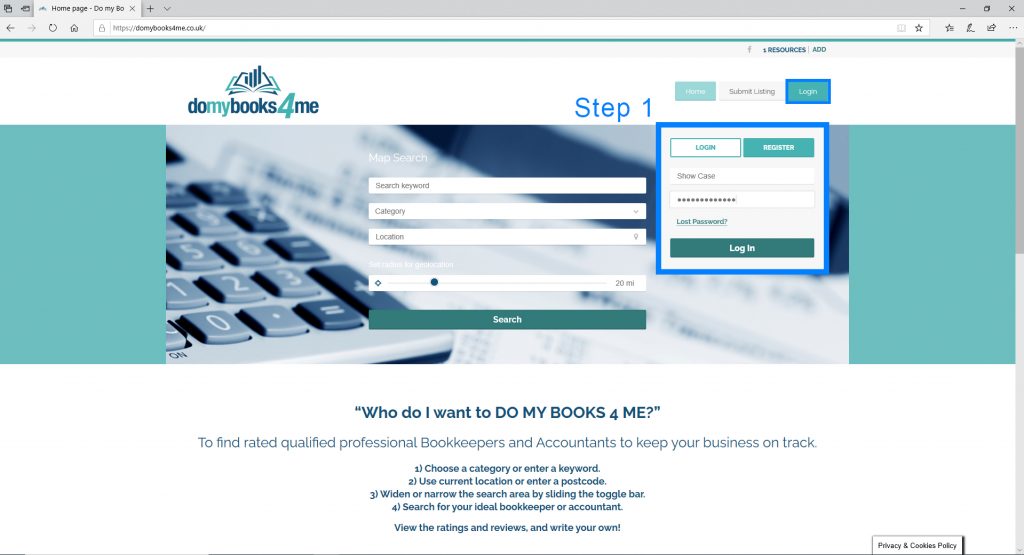
Step 2: Click on the “Account” button.
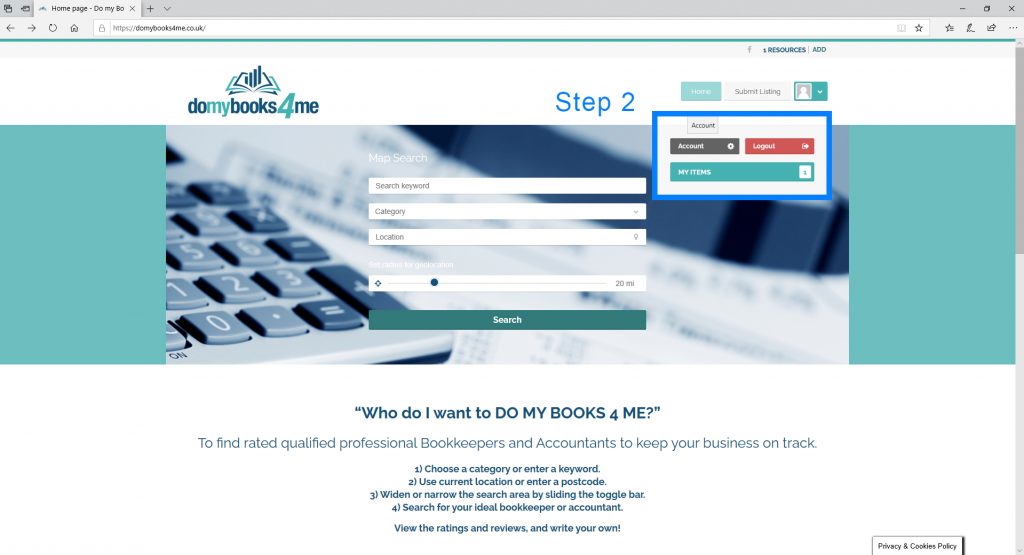
Step 3: Fill in as much of your “Profile” section as you desire.
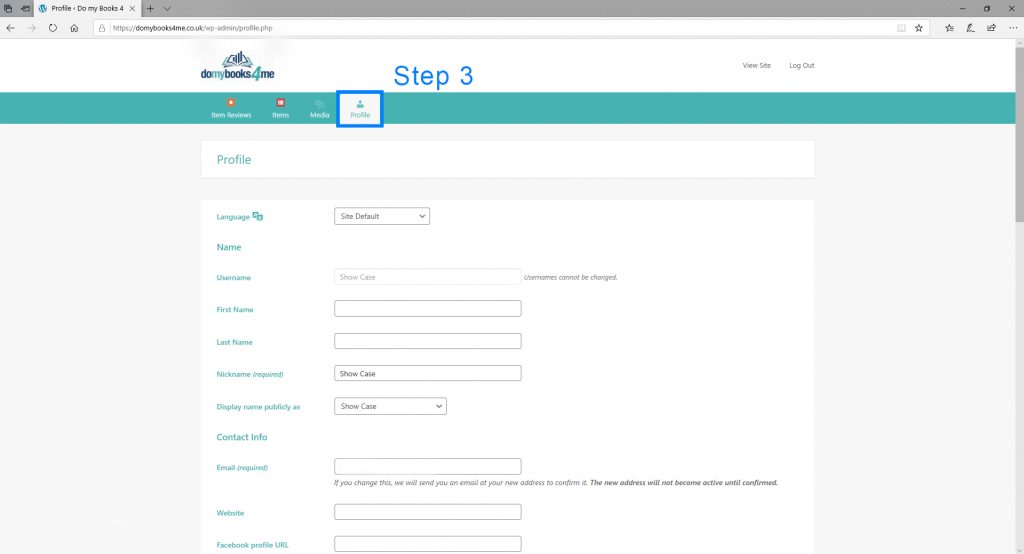
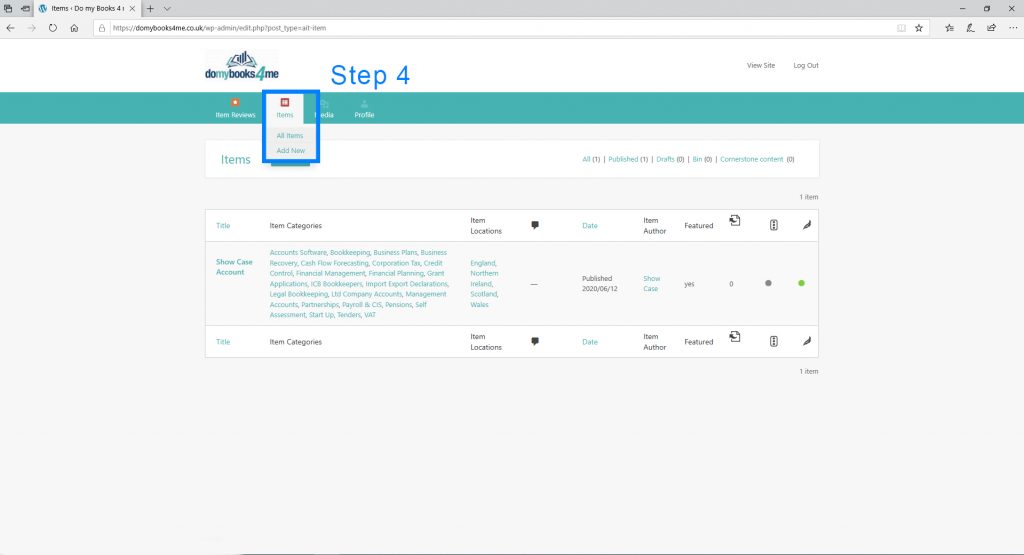
Step 4: Add new Item.
Step 5: Fill in as much information in all the sections as you can.
Step 6: “Preview Changes” – after filling in sections in Step 5 you can preview changes made.
Step 7: “Publish / Update” will make your changes go live on the domybooks4me.co.uk website.